Video Downloader & Fast safe
- 4.0
- Rating
- 100.00K
- Installs
- Free
- Price

 Analysis by App-foxy
Video Downloader & Fast safe is the kind of app I would reach for when I want a straightforward way to handle video links on an Android phone rather than keep returning to a browser. It belongs to the video players and editors category, but its practical role is simpler: it parses video links, lets me save media locally, and gives me a way to watch short dramas offline. That focus makes it easy to understand, although it also means the app is best judged as a compact downloading tool instead of a complete video-editing suite.
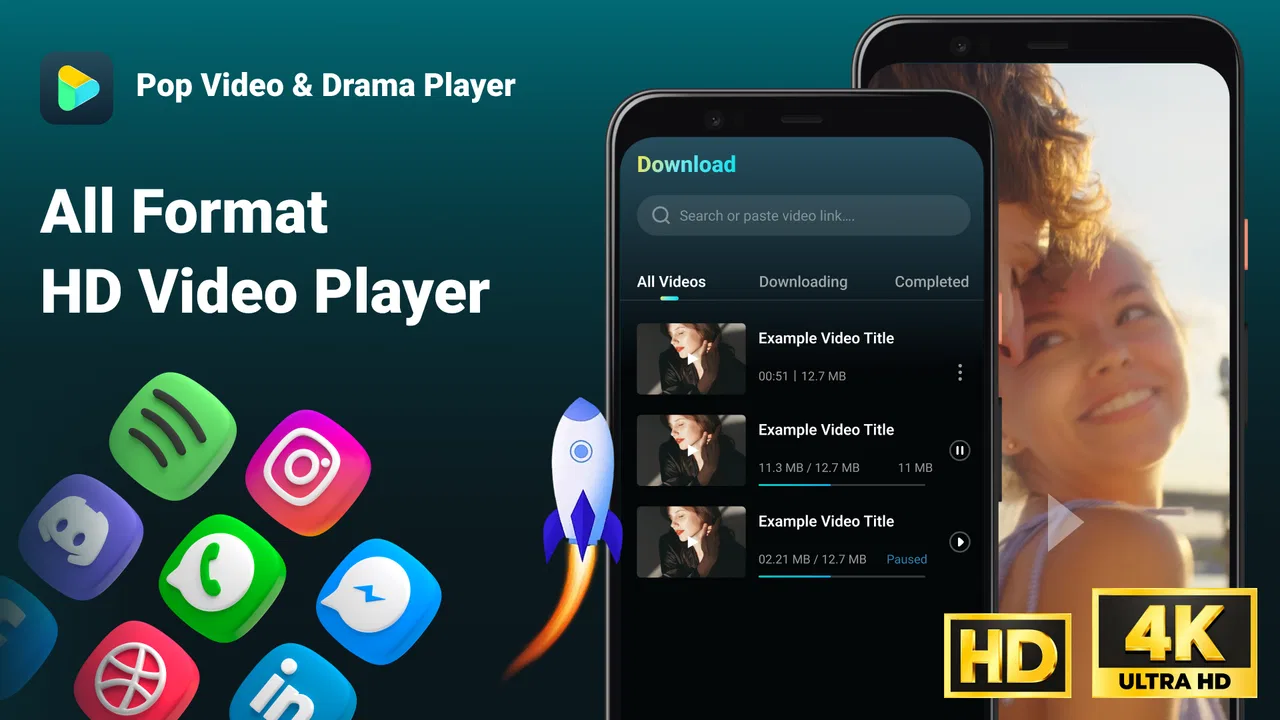
After using it, my impression is that the main appeal is convenience. I can take a supported video link, pass it through the app, save the result on the device, and watch it later without depending on a continuous connection. The useful part is the repeatable link-to-offline workflow, especially for people who regularly watch short episodes during commutes, in waiting rooms, or in places where mobile data is unreliable.
The app is free, aimed at Everyone, and comes from Gang Peng dev. Its current version is 1.0.7, and it runs on Android 7.0 or later. Those details make it accessible to a broad range of Android users, including people with older phones who may not want a demanding media application. It has passed the early discovery stage with over one hundred thousand installs, while its average rating sits at 4.0 from around sixty ratings. I see that as a reasonable sign of interest, but not as a substitute for checking whether its workflow fits the sites and links I actually use.
You May Also Like

 Pandora - Music & Podcasts
Pandora’s Music Is Easy to Start, but Harder to Recover
Pandora’s strength is its low-effort path from a seed to a station. Its weak spot is how much confidence it asks you to place in connection, setup, and quiet recovery.

 AccuWeather: Weather Radar
AccuWeather Review: A Quick, Clear Forecast for Everyday Decisions
For everyday plans, the best forecast is the one you can understand quickly. AccuWeather makes rain timing, radar, and local conditions easy to act on, with a few trade-offs.

 Hill Climb Racing
Why Hill Climb Racing Still Turns Crashes Into One More Run
A tiny car, a bumpy hill and one more upgrade: Hill Climb Racing keeps resurfacing because its simple chaos makes every near-miss feel personal.

 AliExpress - Shopping App
AliExpress Makes Global Shopping Feel Personal, but Shoppers Bear the Risk
AliExpress turns a global marketplace into a pocket-sized discovery engine. Its reach is useful, its shopping loop compelling, and its trade-offs easy to miss.

 Lords Mobile: Kingdom Wars
Lords Mobile Is a Kingdom-Building Routine, Not a Quick Match
A case-by-case verdict on the building, battles, device demands, and social commitments that make Lords Mobile rewarding for some players and exhausting for others.

 PDF Scanner app - TapScanner
TapScanner Makes Paperwork Easier to Capture, Check, and Share
TapScanner makes scanning with a phone feel less like a rescue operation and more like a dependable step in getting work done. Its capture tools are useful, though not flawless.
More From Our News Desk
View All News


How the everyday workflow feels
The basic routine is uncomplicated. I start with a video link, open the downloader, and let it process the address. If the link is compatible, the app can identify the media and prepare it for local saving. Once the file is stored, I can return to it later through the phone instead of opening the original page again. This is much more useful than a vague promise of “fast downloading” because it creates a clear habit: collect links when I have access, save what I need, and watch it at a better time.
One realistic example is a short-drama viewer who follows several episodes during a busy day. Rather than streaming each episode while traveling, I could prepare the links at home over Wi-Fi, save the episodes, and watch them during a train ride. The benefit is not just reduced dependence on the signal. Local playback also avoids the interruptions caused by a page refreshing, a video feed changing, or a browser tab being closed accidentally.
I would still treat the link stage as the important variable. A downloader can only work with links it can parse correctly, so the experience depends on the source format and the way that source exposes its media. When a link is simple and supported, the process feels direct. When a page contains several layers, redirects, or a player that does not expose a usable address, I would expect more friction. That is not a reason to dismiss the app, but it is a reason not to assume that every online video can be saved.
For a first test, I recommend using one ordinary link rather than building a large download queue immediately. That small trial answers the questions that matter most: whether the source is recognized, whether the resulting file plays correctly, and whether the saved video is easy to locate later. It also prevents wasted storage and time if a particular service is not a good match for the app.
The local-watching angle is especially relevant for short dramas. These videos are often consumed in quick sessions, so having an episode ready can be more comfortable than repeatedly searching through a feed. I like the fact that the app’s purpose is narrow enough to support that habit. It does not force me to organize a large personal media library before I can benefit from it.
What I check before saving a collection
Experienced use starts with a little discipline. Before saving several episodes, I check the available space on the phone and decide whether I really need every video offline. Short clips can accumulate quickly, and a downloader makes it easy to save more than I will realistically watch. I also keep a simple routine of deleting finished episodes instead of treating local storage as a permanent archive.
Another useful habit is naming or grouping downloads when the phone’s file tools allow it. Even if the app handles the download itself, a clear folder or a recognizable file name makes later playback less frustrating. This matters when several episodes look similar in a generic file list. The app’s strongest workflow is not merely tapping download; it is pairing the download with a sensible storage habit.
I also consider where the original link came from. If I am copying an address from a social feed, I make sure I have the actual video page rather than a profile, search result, or shortened redirect. That small distinction can save repeated attempts. It is one of the less obvious practical lessons with link-based tools: the quality of the input often matters as much as the downloader itself.
Settings and phone habits worth checking
Because the app is designed around saving media, I pay attention to the choices visible during the download process instead of accepting every default automatically. I look for the destination, the selected media option when one is offered, and whether the file is being kept somewhere I can reach with the phone’s normal video tools. A download that succeeds but disappears into an unfamiliar location is technically complete but practically inconvenient.
I also check the phone’s general battery and storage behavior before starting a large batch. This is not a special feature claim about the app; it is simply good preparation for any local media workflow. Keeping the screen active unnecessarily, downloading in a weak-signal area, or filling the device near capacity can make the experience feel worse than it needs to be.
On an older Android phone, the minimum operating-system requirement of Android 7.0 or later is reassuring. Still, compatibility with the operating system does not guarantee identical behavior across every device. File handling, notification behavior, and background activity can vary between phone brands. If a download appears slow or stops unexpectedly, I first test a single smaller item and check whether the phone is restricting background work.
The age rating of Everyone makes the app approachable for general users, but I would not confuse that rating with a guarantee that every linked video is suitable for every viewer. The app is a tool for handling links; the content comes from the sources I choose. I remain responsible for checking the source and using downloads in a lawful, respectful way.
Privacy is another reason I avoid copying random links into any downloader. I use links from services and creators I trust, and I do not treat the app as a way to bypass access controls. If a video is protected, private, or clearly intended only for streaming, I would use the platform’s own offline option when available. That approach is safer and avoids turning a convenience tool into a questionable workaround.
Repeatable shortcuts that save time
The fastest pattern I found is to separate discovery from downloading. When I am browsing, I save only the links I genuinely plan to watch. Later, when I have a stable connection, I process that small group in one session. This is faster than stopping after every episode to download immediately, and it reduces the temptation to save videos simply because they happen to be on screen.
A second pattern is to test the first item from a series before collecting the rest. If the first link produces a playable local file, I have more confidence that the following links will follow the same structure. If it fails, I have learned that early, before filling the phone with unusable entries. This is a particularly useful trade-off for short dramas, where many episode links may share a page design but can still behave differently.
I also prefer a watch-and-clear cycle. After finishing a group of videos, I remove them unless I have a specific reason to keep them. That keeps the app’s purpose focused on temporary offline viewing and prevents the phone’s storage from becoming a hidden limitation. For people with limited space, this habit may matter more than any small difference in download speed.
When I am preparing for travel, I do not wait until the last minute. I check a saved file while I still have a connection, confirm that playback starts, and make sure the episode is stored locally. A file that appears in a list but has not completed properly is not useful once I am offline. This simple verification step is one of the best ways to avoid disappointment.
For families or shared devices, I would keep the workflow explicit. I would explain which links are being saved, where the files appear, and when old downloads should be removed. Since the app is free and easy to install, it may be tempting to treat it as a disposable utility, but a little organization makes it much more pleasant over time.
Where the simple approach reaches its limits
The main limitation is that this is not the same as a full streaming platform with a controlled catalog, synchronized watch history, recommendations, or guaranteed offline licensing. If I want a polished entertainment service where downloads are managed inside the platform, the original streaming app is usually the better choice. Its offline feature, when offered, is more likely to respect the service’s own playback rules and account system.
It is also not the right choice for someone looking for serious editing tools. The category includes video players and editors, but the practical description of this product centers on parsing links and saving media. I would not install it expecting trimming, transitions, captions, color correction, or a timeline editor. For those tasks, a dedicated editing application is more appropriate.
Another boundary is source compatibility. Link parsing is not magic. A public page may still use a structure the app cannot interpret, and a video may be delivered through a protected player rather than as an easily downloadable file. In those cases, repeated retries are unlikely to solve the underlying problem. I would switch to the source’s official viewing or offline method instead of spending time searching for a workaround.
Speed should also be understood in context. The name suggests a fast experience, but real performance depends on the connection, the source server, the phone, and the size of the media. I would judge the app by how little effort it takes to complete a supported download, not by expecting every file to arrive instantly. A stable connection and a clean link will usually matter more than repeatedly pressing the same button.
Storage is a practical limit that new users often overlook. Offline video is convenient precisely because it occupies local space. If I save many episodes in high quality, the phone can become crowded, and that may affect other apps as well. My solution is to download only what I will watch soon, verify playback, and remove completed files. Users who want a permanent archive should consider a dedicated media-management setup instead.
I would also skip this app if my main goal is downloading from a wide range of difficult or heavily protected services. Its appeal is strongest with straightforward, compatible links and a modest personal viewing routine. Someone who needs advanced queue control, broad format conversion, cloud synchronization, or detailed file management may outgrow it quickly and should look for a more specialized tool.
How it compares with the usual alternatives
Compared with saving videos through a mobile browser, the app offers a more focused path. A browser is better for discovering content and staying inside a website, but it can be awkward when I want to turn a link into a local file and return to it later. The downloader removes some of that browsing clutter. The trade-off is that the browser may handle unusual pages more gracefully because it is designed to display the complete site.
Compared with official platform downloads, this app is more flexible in concept because it starts from a link rather than a single service catalog. However, official downloads usually provide clearer account integration, expiration rules, and playback support. If the platform already offers a reliable offline button, I prefer that option. I use a link-based downloader for simple personal workflows, not as a universal replacement for every platform’s own tools.
Compared with a file manager, the app is more specialized at the moment when a video link needs to become a local media file. A file manager is better afterward, when I need to move, rename, sort, or delete stored videos. In practice, I see them as complementary rather than competing tools. The downloader handles acquisition; the phone’s file tools handle housekeeping.
Compared with a full media player, its strength is the path into offline viewing rather than advanced playback. If I already have local files and want subtitle controls, audio adjustments, playlists, or broad format support, a dedicated player may give me more. This app makes more sense when the missing step is obtaining a usable local copy from a link.
Who should use it and who should pass
I would recommend Video Downloader & Fast safe to Android users who regularly watch short dramas or online clips and want a simple way to prepare them for offline viewing. It suits people who understand basic link copying, have a clear need for local playback, and are willing to manage storage. Its free price also makes it easy to test without committing to a purchase.
I would be more cautious about recommending it to someone who rarely downloads video, prefers official streaming apps, or expects every website to work automatically. The app’s value comes from repetition: the more often I use the same straightforward workflow, the more time it can save. For occasional viewers, opening the original service may be simpler.
Parents and shared-device users should focus on the source of the videos rather than relying only on the Everyone rating. The tool itself is broadly accessible, but links can lead to all kinds of material. I would keep downloads limited to appropriate content and explain that saved files remain on the phone until removed.
My verdict after building a routine
Video Downloader & Fast safe is a practical, narrow app rather than an all-purpose video solution. I like it most when I have a clean link, a clear offline purpose, and a simple routine for checking and deleting saved files. The experience becomes noticeably better when I separate link collection from downloading, test the first episode in a series, and verify playback before leaving a connection.
Its rating of 4.0 and growing install base suggest that it has found an audience, while the small number of public reviews means I would still make my own compatibility test instead of assuming it will behave identically for every source. The developer, Gang Peng dev, has kept the product’s identity easy to understand: it is a free Android app for turning suitable video links into local viewing opportunities.
My recommendation is conditional but positive: install it if your everyday problem is “I have a video link and want to watch it later offline.” Skip it if you need a professional editor, a guaranteed solution for protected services, or the polished catalog experience of an official streaming platform. Used within its limits, it can make short-drama viewing more dependable and less tied to the quality of the momentary internet connection.
FAQs for Video Downloader & Fast safe
01Is Video Downloader & Fast Safe compatible with all video platforms?
Video Downloader & Fast Safe supports a wide range of popular video platforms; however, it may not work with every site due to platform restrictions or updates. Always check the app's supported platform list for the most current compatibility information to ensure it meets your specific needs.
02How does Video Downloader & Fast Safe ensure security during downloads?
The app employs advanced encryption protocols to safeguard your data and ensure secure downloads. It regularly updates its security features to protect against malware and other threats, providing users with a safe experience. Always download the app from official sources to maintain this security.
03Can I download videos in different formats using Video Downloader & Fast Safe?
Yes, Video Downloader & Fast Safe allows users to download videos in various formats, including MP4, AVI, and more. This flexibility ensures compatibility with a range of devices and playback preferences. Check the app's settings to select your desired format before downloading.
04Does the app support high-definition video downloads?
Video Downloader & Fast Safe supports high-definition (HD) video downloads, allowing users to enjoy videos in the best quality available. The app automatically detects the highest available resolution for each video, but users can manually select their preferred resolution in the settings.
05Are there any in-app purchases or ads in Video Downloader & Fast Safe?
While the basic version of Video Downloader & Fast Safe is free, it may contain ads. Users can opt for a premium version through in-app purchases to remove ads and unlock additional features. Review the app's store page for detailed information on pricing and premium options.
Pros
- Easy to navigate interface for quick downloads.
- Supports multiple platforms and formats.
- Fast download speeds with no interruptions.
- Built-in media player for instant previews.
- Minimal ads for a smoother user experience.
Cons
- Does not support 4K video downloads.
- Limited customization options for settings.
- Requires in-app purchases to unlock features.
- Occasional bugs during batch downloads.
- No option to download from some major sites.

Video Downloader & Fast safe
Gallery